
MetconMate WOD Timer
Your whiteboard, on the clock
MetconMate is an iPhone WOD timer that turns a whiteboard photo, screenshot or pasted text into an AMRAP, EMOM, Tabata or For Time timer, with voice cues that mix with your music.
Coming soon to the App Store
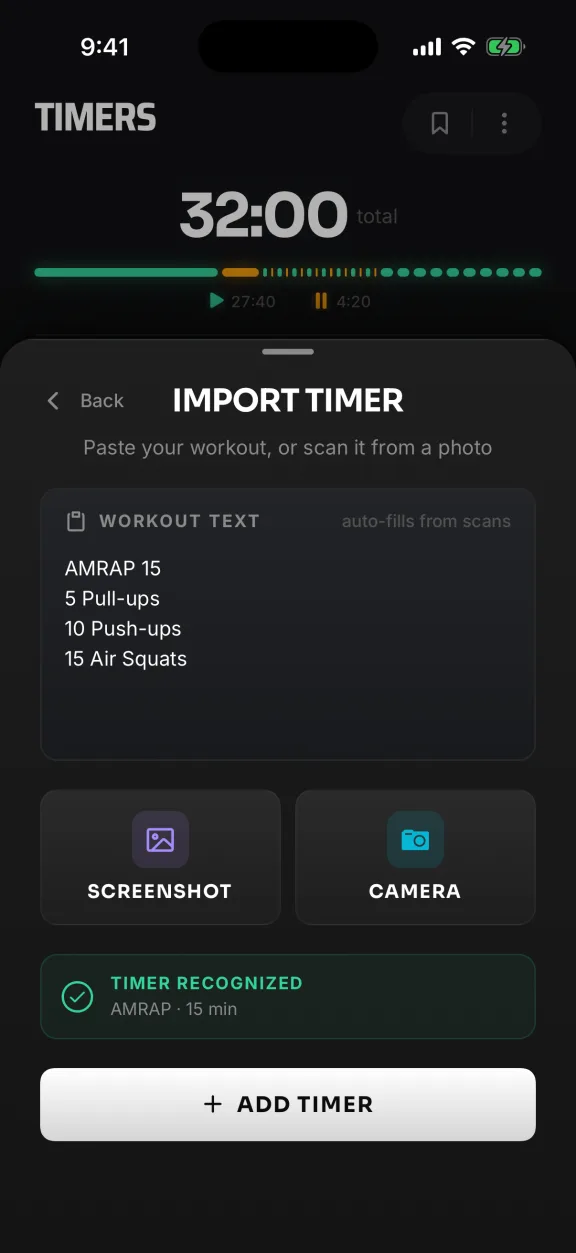
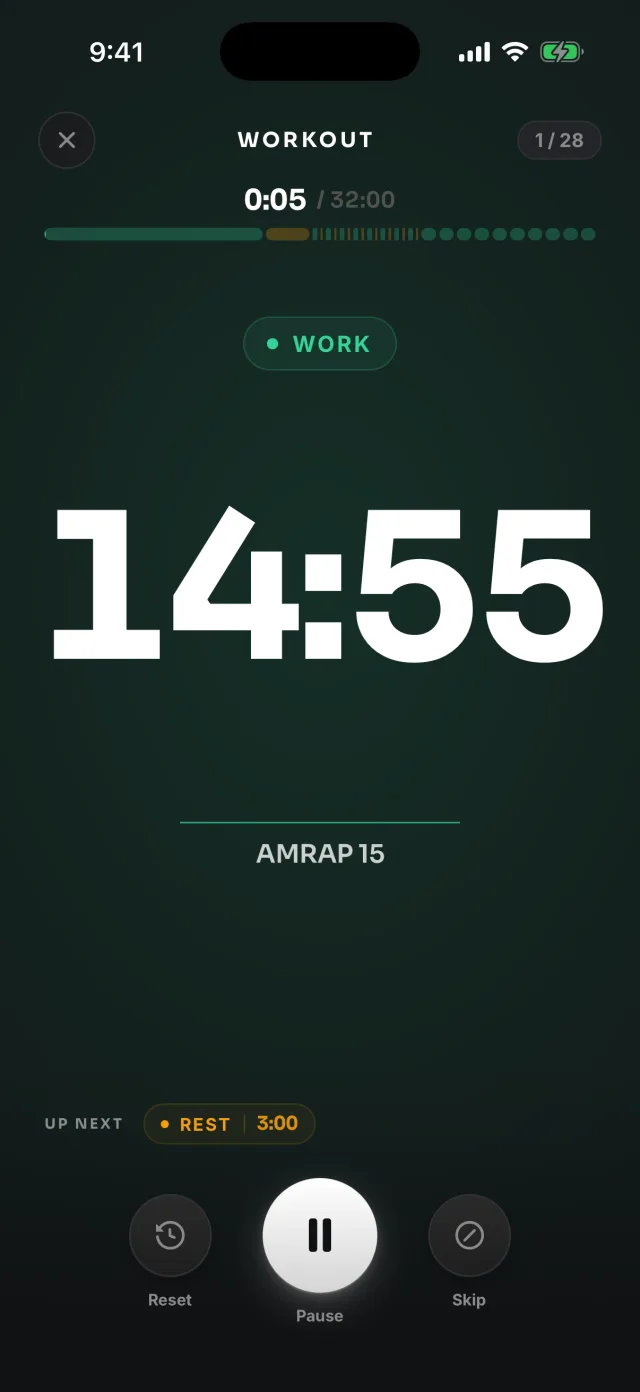
Import
Snap the board, get the timer
Skip typing intervals while the class waits. MetconMate reads the rounds, reps and time cap, then hands you a timer to check and start.
- Camera
- Screenshot
- Pasted text
Import asks before a photo leaves your iPhone. Say no, or go offline, and it reads the photo on the phone.
Voice cues
Train without looking
A voice calls the countdown, every switch, halfway and time. It mixes with your music, screen locked or not.
- 3 · 2 · 1 · Go
- Halfway
- Ten seconds
- Rest
- Time
-
AAdyMember
I really like how MetconMate keeps everything simple and helps me stay focused on the workout instead of the clock. I’m the kind of person who likes to just get in, train hard, and keep moving, so having everything organized for me makes a huge difference. It’s easy to use, super practical, and makes the whole workout feel smoother. Honestly, once you use it, you don’t really want to go back.
When can I get it?
Soon. MetconMate 1.0 is in testing now and comes to the App Store for iPhone. This page will link straight to it on launch day.
What does MetconMate cost?
MetconMate 1.0 is free to download, with no ads. Pro features come later, and early users will get a discount on Pro when it launches. We'll post what Pro includes before then.
Does Import upload my photos?
Only if you allow it. The first time, Import asks whether to send photos to Google's Gemini AI, through our server, to read the workout. Photos aren't saved. If you say no, or you're offline, Import reads the photo on your iPhone. Either way you review the timer before you save it.
What if Import reads it wrong?
You see the timer before it's added and can edit any interval afterwards. A cropped, well-lit photo reads best, and you can always build the same timer by hand.
Will I hear the cues over my music?
Yes. Cues mix with Apple Music, Spotify or a podcast and don't pause it, with the screen locked and the ringer on silent.
Do I need an account?
Not in 1.0. There's no sign-in. Saved templates are stored under a random ID for your install, never your name or email, and the anonymous usage stats can be turned off in Settings. Details are in the Privacy Policy.
Does it work on iPad or Apple Watch?
MetconMate is made for iPhone. iPads can run it as an iPhone app, and there's no Apple Watch app yet.
Eyes on the bar, we'll watch the clock
Snap itCheck itStart it
Coming soon to the App Store